

For cover bands
Band management software for working cover bands.
Availability, changing lineups, setlists, gig details and money shouldn't live across dozens of WhatsApp messages. GigGeist keeps each one with the gig it belongs to.
See how it worksThe reality of a working cover band
Three gigs. Three different bands.
- Friday · Wedding
Six-piece with the horns. Load-in at three, the first-dance song learnt, a fee agreed with the couple.
- Saturday · Pub
Four-piece. Your guitarist is away, so a dep is playing. Load-in at eight and the pub set.
- Sunday · Festival
An afternoon slot outdoors. A different arrival time, a different fee and a shorter set.
Each gig has its own lineup, times, set and fee. GigGeist keeps them attached to the gig, instead of scattered through a group chat.
Availability and lineups
Ask once. See who's in. Fill the gaps.
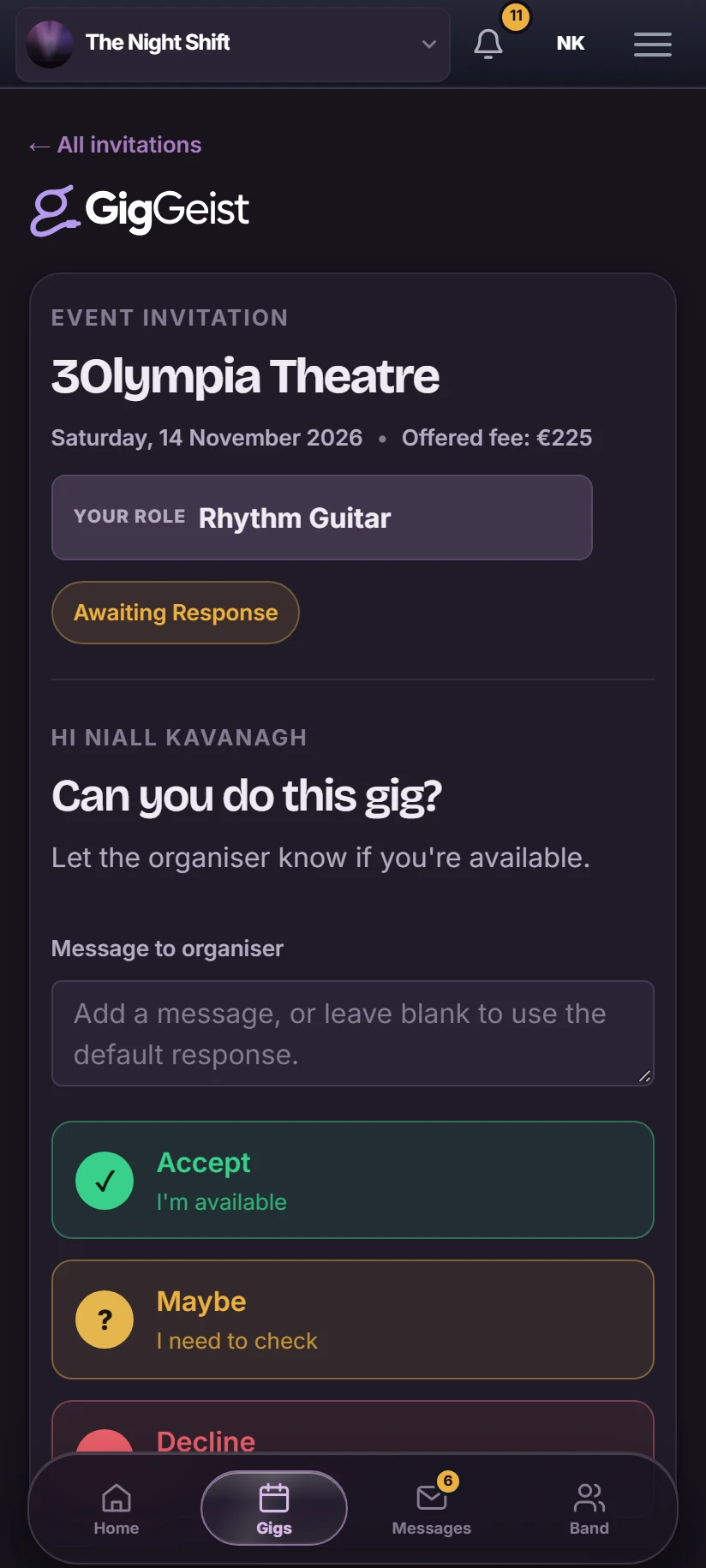
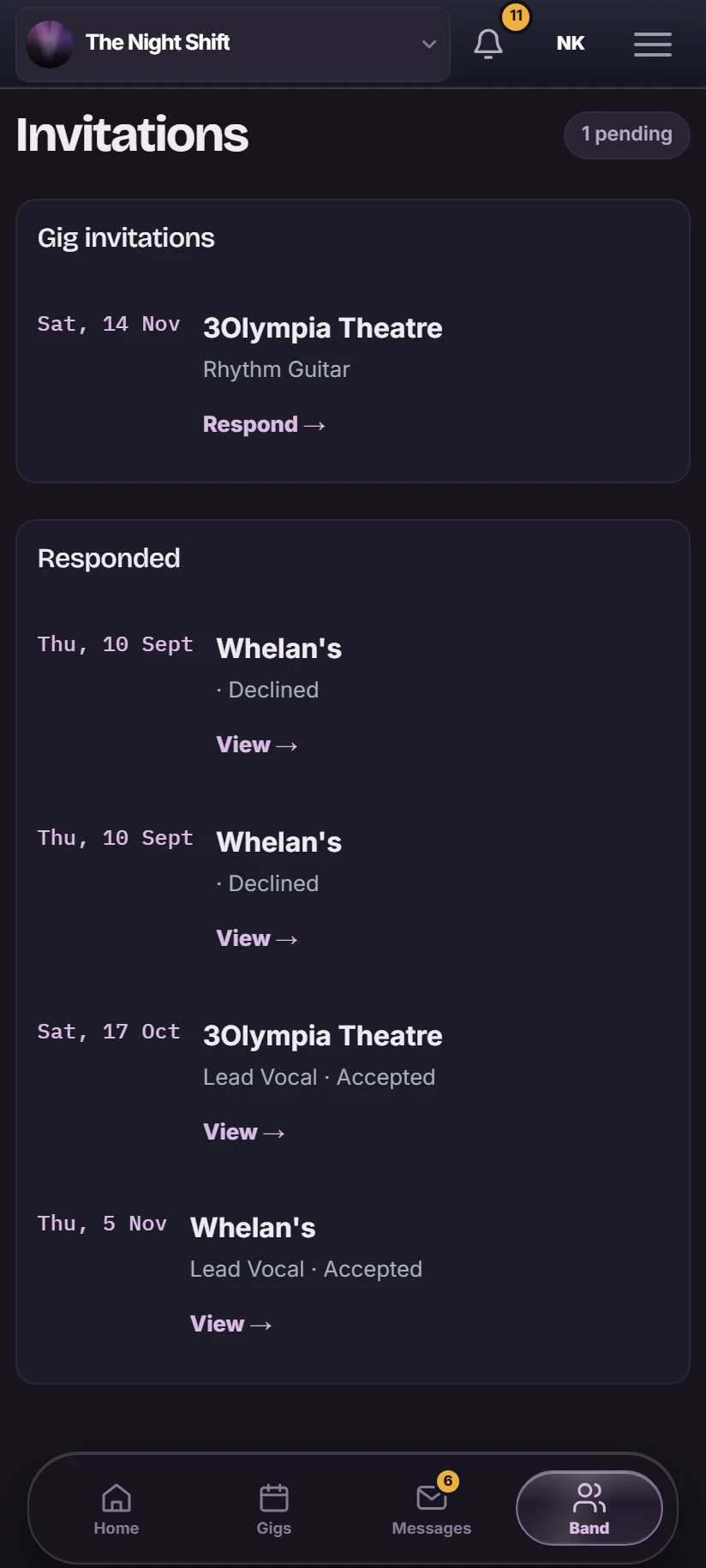
Every gig starts with the same question. GigGeist turns the replies into a lineup you can check.
- A gig comes in
- Ask the musicians it needs
- They tap Accept, Maybe or Decline
- See which roles are still open
- Bring in a dep
- Confirm the lineup
Built for deps
Someone's always away. Plan for it.
The lineup belongs to the gig, not the band. That's what makes changing personnel easy.
- Set the roles each gig needs and see how many are confirmed.
- Replace a player for one gig. The band's regular line-up stays as it is.
- Add musicians who aren't on GigGeist and record their answers yourself.
- See exactly who's playing this gig, and who still has to confirm.

Every gig has its own details
Where, when and who. On the gig, not in the chat.
Venue, date, load-in and stage time, parking and access, the venue contact, catering, backline notes, the lineup and the fee all live on the gig. Musicians get directions, a calendar file and the gig chat from the same page.

Setlists for working bands
The set follows the band onto the gig.
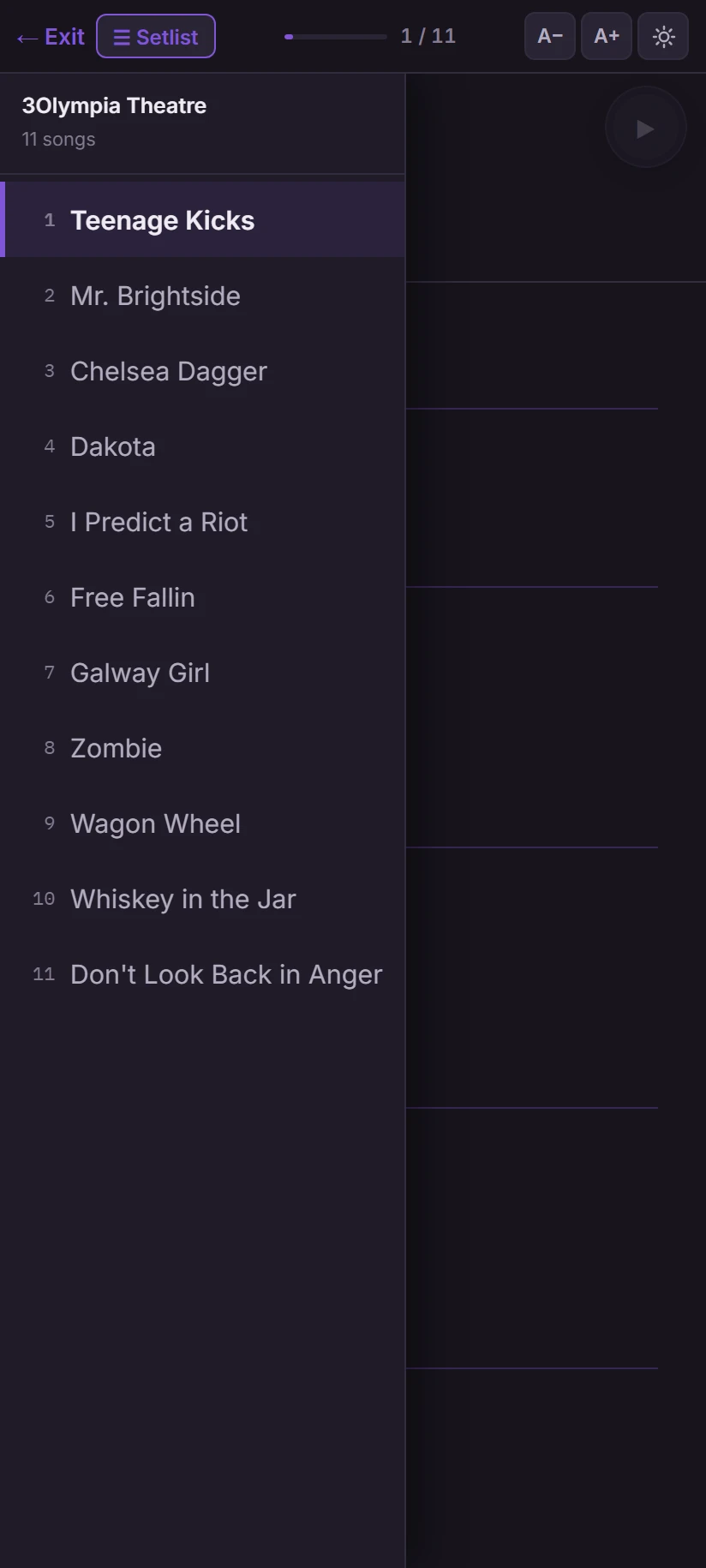
- Save named sets, like a wedding set and a pub set, and make one the default for new gigs.
- Reorder for the room and change a song's key for this gig only.
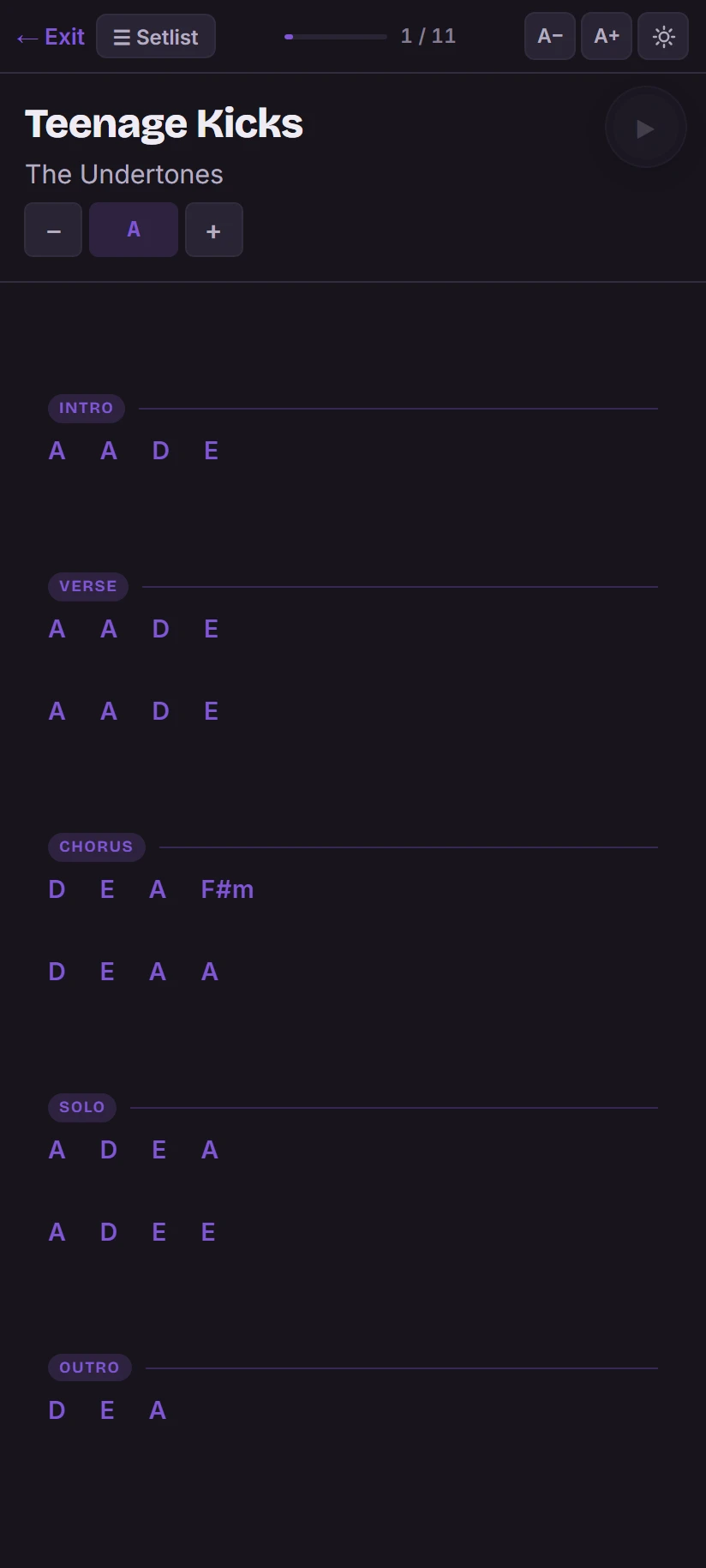
- Charts are transposed into each musician's key.
- Performance mode puts the running order and the chart on their phone, one tap from the next song.
The owner's view
Know what each gig, and the year, is making.
- Record the gig fee, deposit and balance, and what each musician is owed.
- Log expenses, and work out fuel costs from each musician's home address.
- See which musicians have been paid and who's still waiting.
- The dashboard shows revenue, costs, profit and outstanding payments by month or year.
Each musician sees only their own fee. GigGeist isn't accounting software: it keeps the gig money clear.

Keep the chat in WhatsApp. Keep the gig in GigGeist.
Your band already talks on WhatsApp, and that's fine. GigGeist is where the answers live.
WhatsApp is good for
- Quick questions
- "Running ten minutes late"
- The banter
GigGeist is where you check
- Who's playing
- When and where
- What you're playing, and in what key
- What you're being paid
You can message any musician on WhatsApp from the lineup, with their invitation link ready to send. Want the bigger picture? Take the GigGeist product tour
Cover band questions
What is cover band management software?
It's one place to organise the work around the gigs: dates and venues, who's available, the lineup, the set and the money. GigGeist is built around the way working cover bands run, with changing lineups and deps treated as normal.
Can musicians respond to gig availability?
Yes. Each musician gets an invitation for the gig and answers Accept, Maybe or Decline from their phone or computer. You see every answer on the gig.
Can I manage dep or substitute musicians?
Yes. Replace a player for a single gig without changing the band's regular line-up, then invite the dep or confirm them yourself.
Can I manage setlists and song keys?
Yes. Save named sets, make one the default for new gigs, and change the order or a song's key for one gig without touching the saved set. Charts are transposed into each musician's key, and performance mode shows them on stage.
Can I track musician fees and gig expenses?
Yes. Record the gig fee, deposit and balance, each musician's fee, expenses and travel costs, and see who's been paid. The owner dashboard adds up revenue, costs and profit. It isn't accounting software.
Do all musicians need to use GigGeist?
No. Add musicians who don't have an account and record their availability yourself. Musicians with an account can reply to invitations and see the gig details themselves.
Can musicians use GigGeist on their phones?
Yes. GigGeist works in any mobile browser, including the running order and charts in performance mode.
Your next gig starts here
Run every gig.
Together.
One place for your band and everything behind the gig.
Already part of a band on GigGeist? Sign in